

See it working
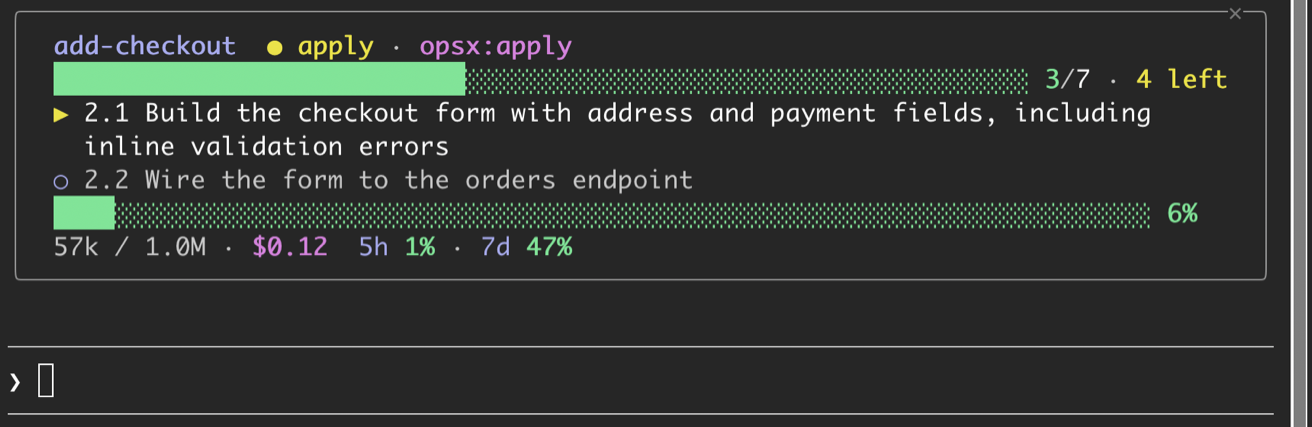
Two layouts, plus a panel for all your changes. Sections with nothing to show, such as no tasks or no running agent, are left out.
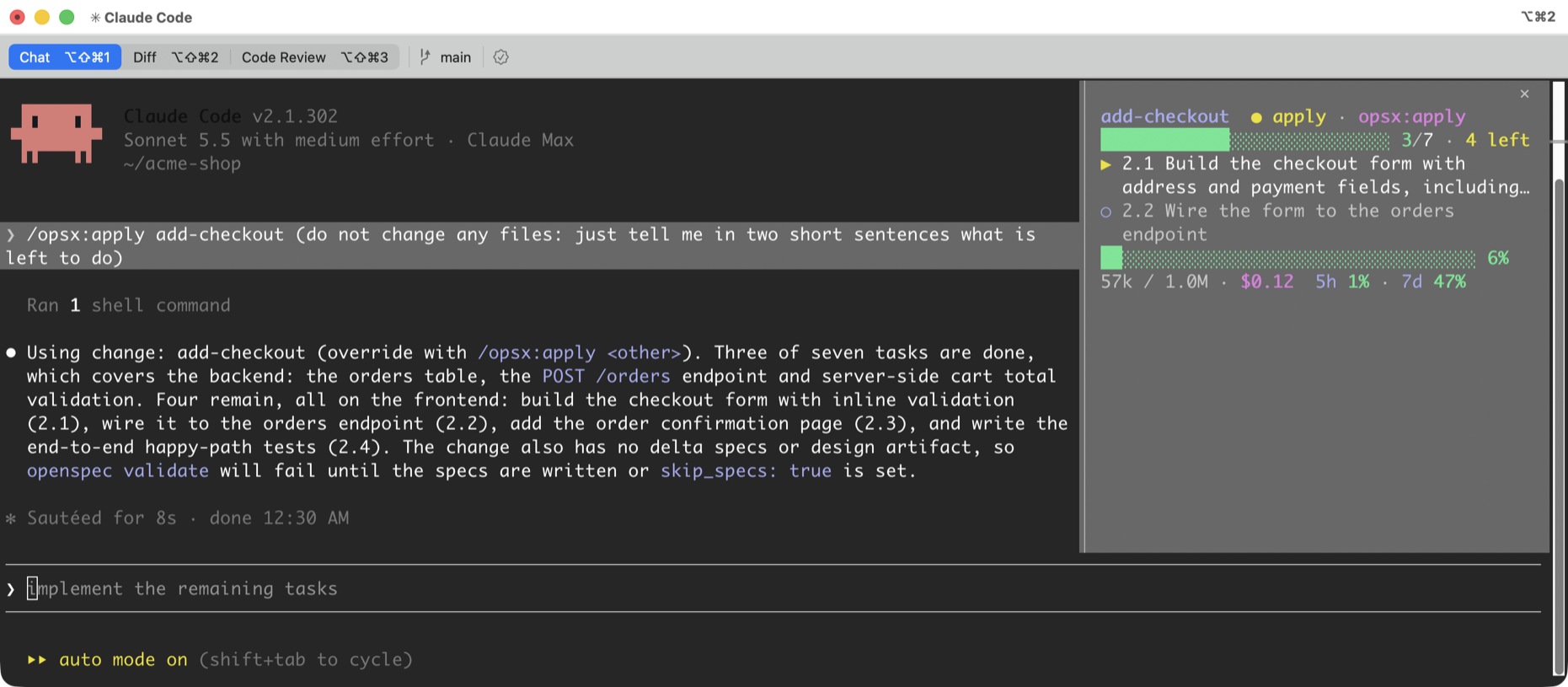
What it shows
Skill and step
The last OpenSpec skill (openspec-*) or command (/opsx:*, /openspec-*) you used, mapped to the flow step. With none, the step is inferred from the change’s files: no tasks.md is propose, open tasks is apply, all done is verify.
Change
The change named in your last /opsx:<cmd> <change>, otherwise the most recently edited change under openspec/changes/, archive excluded.
Tasks
The current and next unchecked items in tasks.md, with done and total counts and what remains. They refresh after edits under openspec/, at each turn end and every 10 seconds.
All your changes
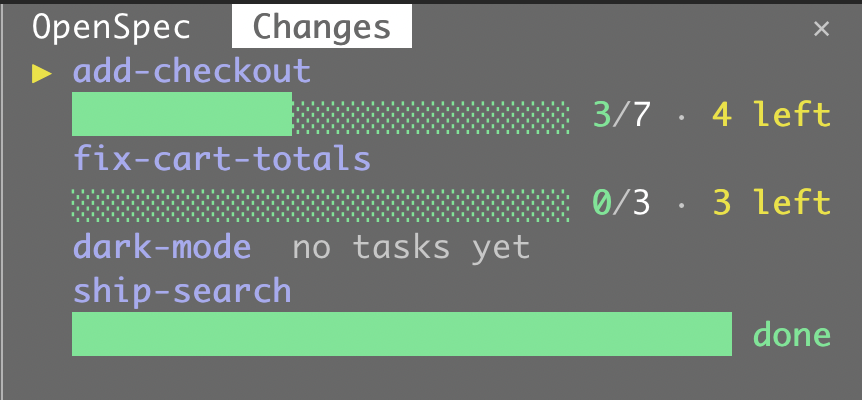
/openspec-changes opens a second panel that lists every active change with its progress and tasks left. The change the HUD follows comes first, marked with ▶.
Agents
Subagents that are running right now, with their type, status and task description.
MCP
The MCP server and tool being called, such as github · get_me, shown only while the call is running.
Context and usage
A context-window bar, tokens used out of the window, the 5-hour and 7-day rate-limit windows on subscriptions, and session cost. Context and limits go green under 60%, yellow under 85% and red above.
Compact layout
8 to 10 rows, 14 at most, with no headings. Long tasks and descriptions wrap to two rows and end with an ellipsis; in a wide pane short rows share a row.
Install
Run it at the Claude Code prompt. Answer y to add the marketplace, then pick a scope: User for every session, or Project for one repository. The panel opens right away.
Toggle it with /openspec-hud. Closing it with its close mark keeps it closed in later sessions until you open it again.
Docking needs the fullscreen UI. Set "tui": "fullscreen" in ~/.claude/settings.json and use a terminal 110+ columns wide. Otherwise the panel opens inline above the prompt.
See every change with /openspec-changes. It starts closed and docks as a tab next to the HUD.
Open source, MIT. Issues and pull requests are welcome.
# at the prompt of a Claude Code session
/plugin install openspec-hud --marketplace Dash-AI-Tools/openspec-hud

# then, in a repo that uses OpenSpec
/opsx:propose <idea>

# show or hide the panel, or list every change
/openspec-hud
/openspec-changes
Help shape it
If you use OpenSpec with Claude Code, tell us what else you would want to see at a glance. It decides what gets built next.